Tool Bar
Open the Tool Bar by pressing the UR+ logo on the Teach Pendant. The tool bar can accessed both in programming and running mode.
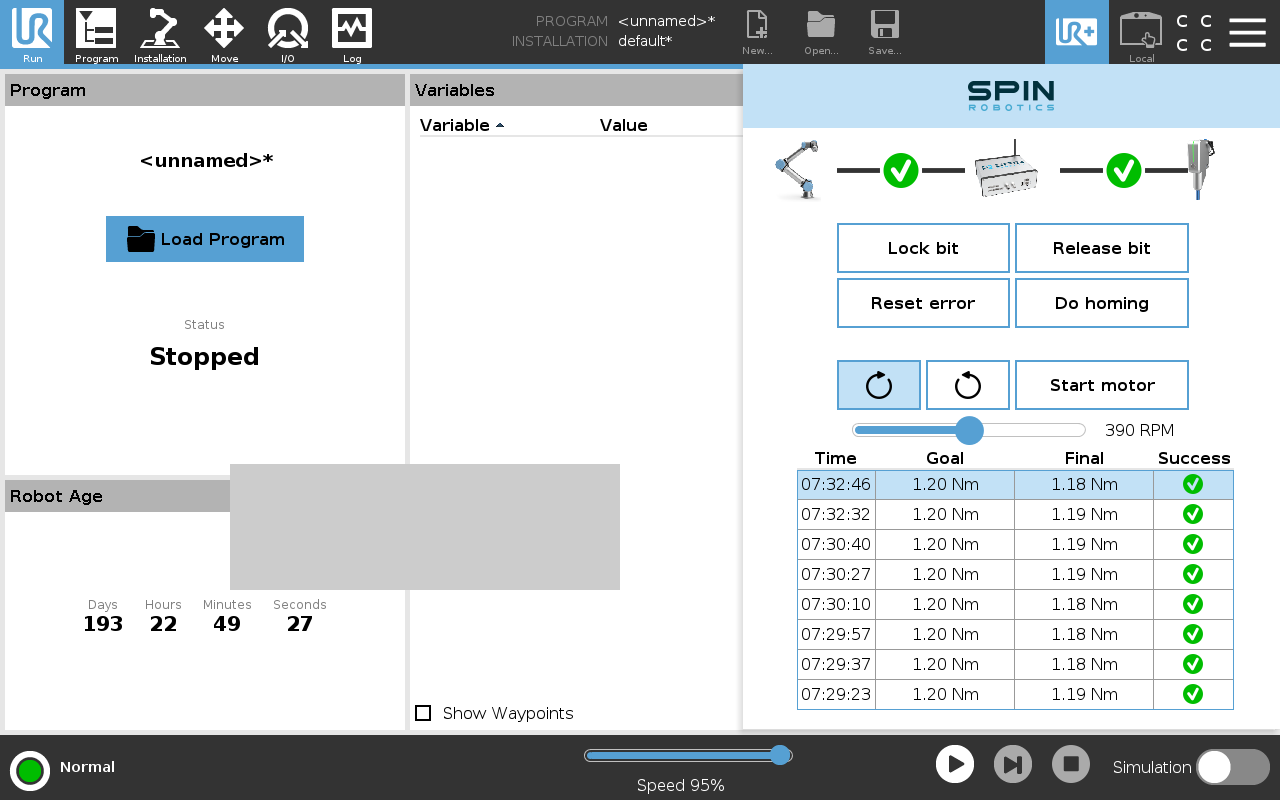
Tool bar with list of results.
The Tool Bar is a quick way to access common features of the system.
Connectivity
The current connectivity status of the SpinBridge and tool is shown at the top of the Tool Bar.
Manual Bit Changing
The Lock bit and Release bit buttons are used to manually replace the bit in the tool.
Resetting Errors
The Reset error button is used to reset errors on the SpinBridge and tool.
Note
Not all errors can be reset using this button. If the error persists, please contact support.
Homing the Safety Shield
The Do homing button is used to home the safety shield. This is required after the safety shield has been moved manually.
Running the motor
The Start motor button is used to run the motor manually. This is useful for testing the motor. You can also set the desired motor speed and direction.
Results
The most recent results from the SpinBridge are shown at the bottom of the Tool Bar. Clicking on a particular line will show the full trace of the result.
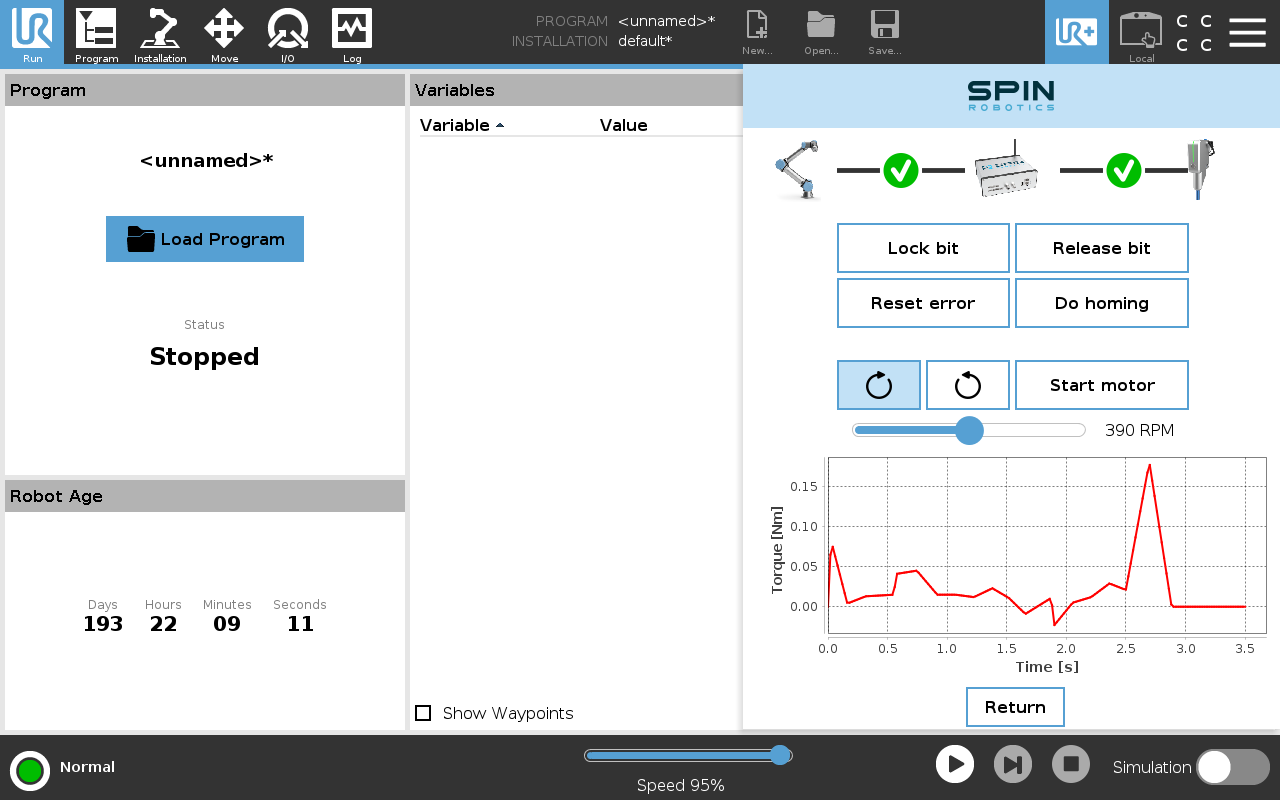
Tool bar with with torque trace.