Bridge and Tool
This section covers the connection between the robot and SpinBridge and hence the tool. This tab on the URCap also gives a warning if any of the software versions are not compatible.
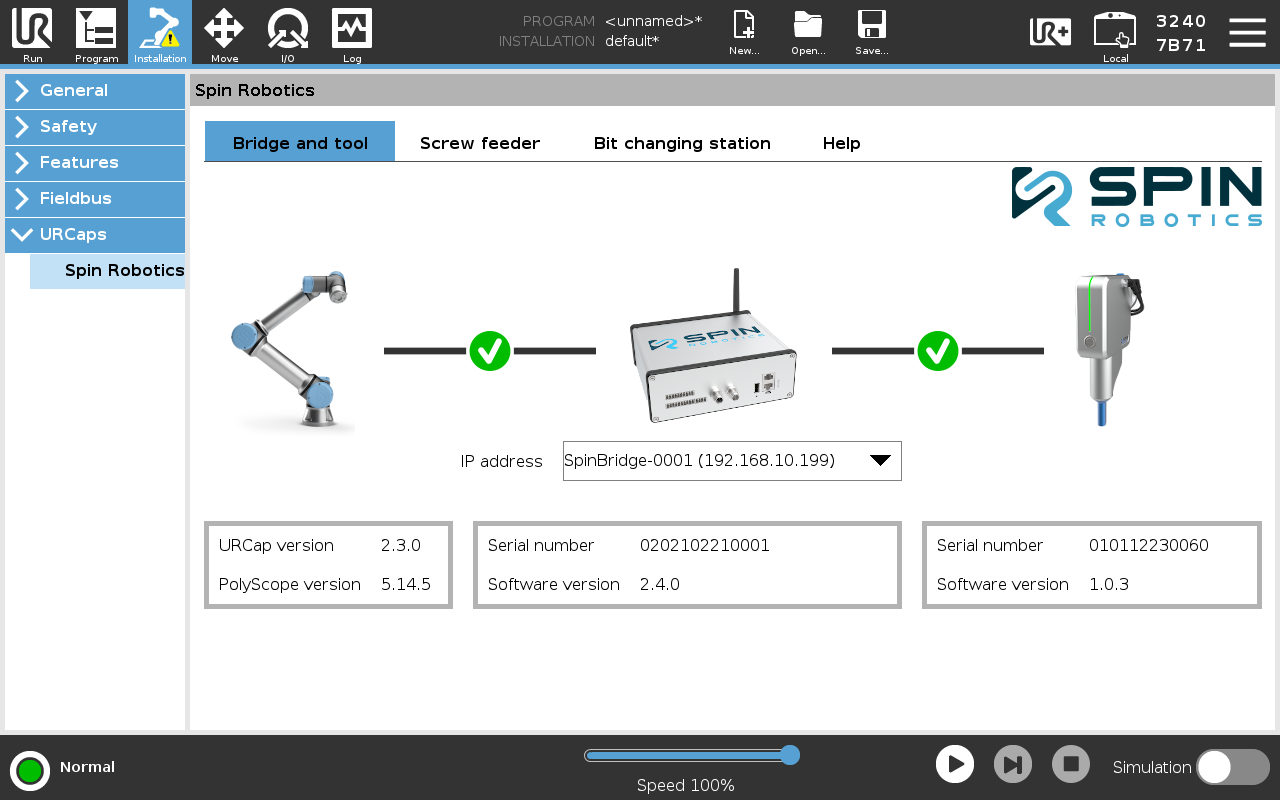
Installation of Bridge and tool
Setting the SpinBridge IP address
Note
Before setting the IP address of the SpinBridge, make sure that the robot has network connection to the SpinBridge. See Network Setup.
Connection to the SpinBridge is established by choosing the SpinBridge from the dropdown list, or entering the IP address of the SpinBridge manually.
The discovery of SpinBridges requires that your local network supports multicast. If your network does not support multicast, you can manually set the IP address of the SpinBridge. This is the case if the Robot and SpinBridge are connected directly to each other.
When the SpinBridge is connected to the robot, the Serial Number and Software version will be displayed. If a tool is connected to the SpinBridge, the tool serial number and software version are also displayed.
The IP address is saved in the installation file.