Loading Screws
This program node is used to load screws from a screw feeder. The screw feeder must be set up before you can use this program node. See Screw Feeder.
Note
This program node can be used with any screw feeder that present the screw in a fixed position.
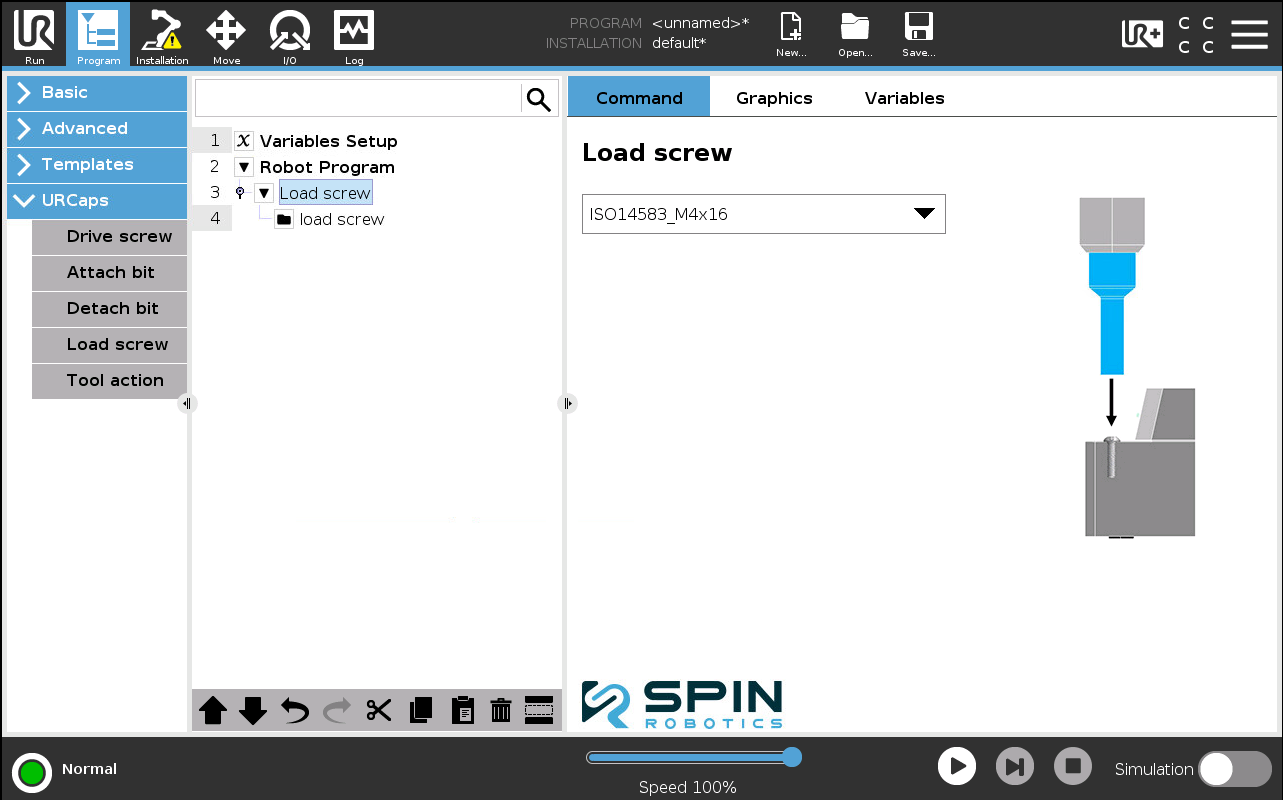
From Program/URCaps select a Load screw program node.
Select the screw feeder you want to use from the drop down list.
The Load screw node expands into a load screw subprogram containing the individual steps needed to pick up a screw from the feeder: a move to the position above the feeder, a Safe approach move down to the screw, a Pick screw node, and a depart move back up.
Pick Screw
The Pick screw node lets you choose how the screw is picked up from the feeder: Magnetic or Vacuum.
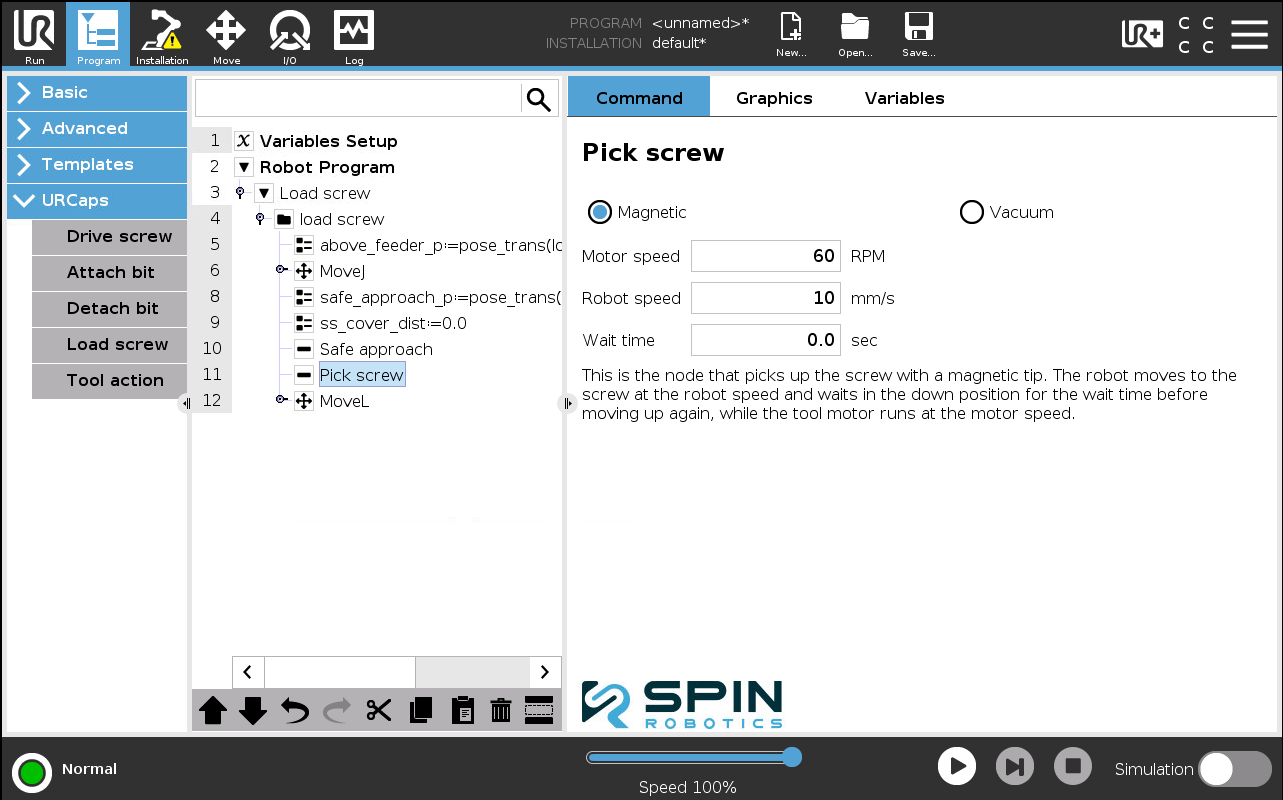
With Magnetic selected, the tool motor runs at the Motor speed while the robot moves down to the screw at the Robot speed and waits in the down position for the Wait time before moving back up.
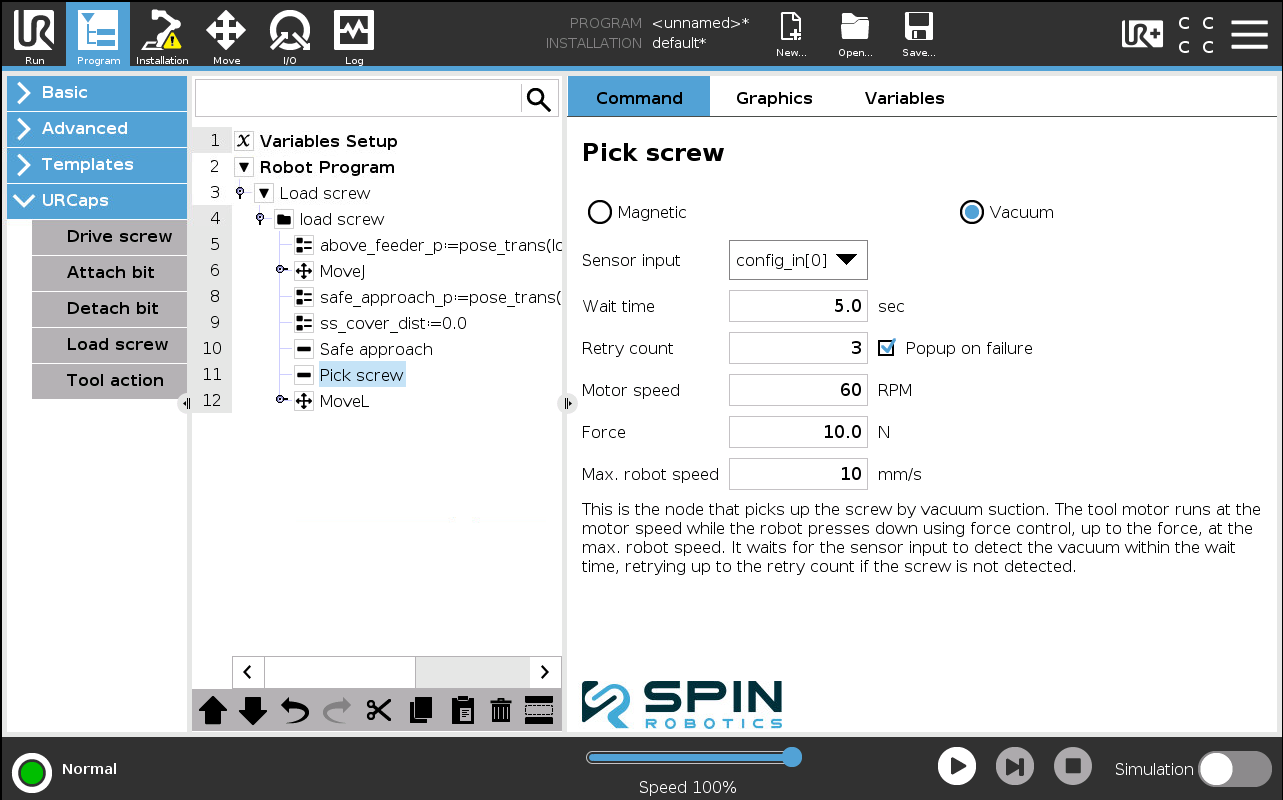
With Vacuum selected, the tool motor runs at the Motor speed while the robot presses down using force control, up to the Force, at the Max. robot speed. It waits for the Sensor input going high to detect the vacuum within the Wait time, retrying up to the Retry count if the screw is not detected. Tick Popup on failure to show a popup if the screw is still not detected after the retries.