Loading Screws
This program node is used to load screws from a screw feeder. The screw feeder must be set up before you can use this program node. See Screw Feeder.
Note
This program node can be used with any screw feeder that present the screw in a fixed position.
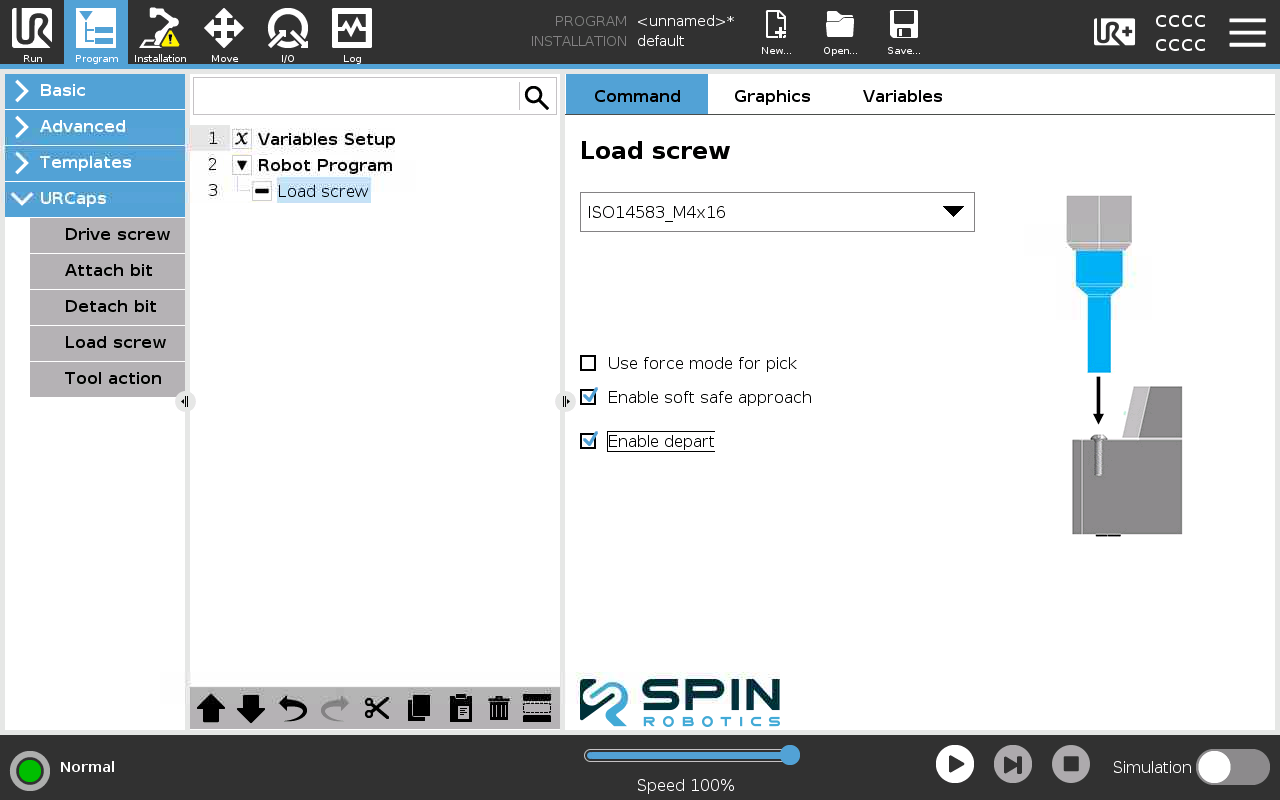
From Program/URCaps select a Load screw program node.
Select the screw feeder you want to use from the drop down list.
Screw Loading Options
Use force mode for pick. Tick this option if you want to use force mode when picking the screw from the screw feeder. This is useful if you want to pick the screw from the screw feeder in a gentle way.
Enable soft safe approach. Untick this option if e.g. you want optimise the movement to the screw feeder. You must then program the movement of the robot to the screw feeder yourself.
Enable depart. Untick this if e.g. you want to optimise the movement from the screw feeder. You must then program the movement of the robot from the screw feeder yourself.
Warning
Disabling soft safe approach and depart movement is a potential risk. See safety info.